OrigAI

Home Products Tutellia

Software for court-appointed guardians (MJPM)

Your case-file paperwork, filed and sent without a second thought.

Tutellia files every document in the right case, for the right person, and sends it to the right recipient. You handle it once, when you are already working on it, then forget about it.

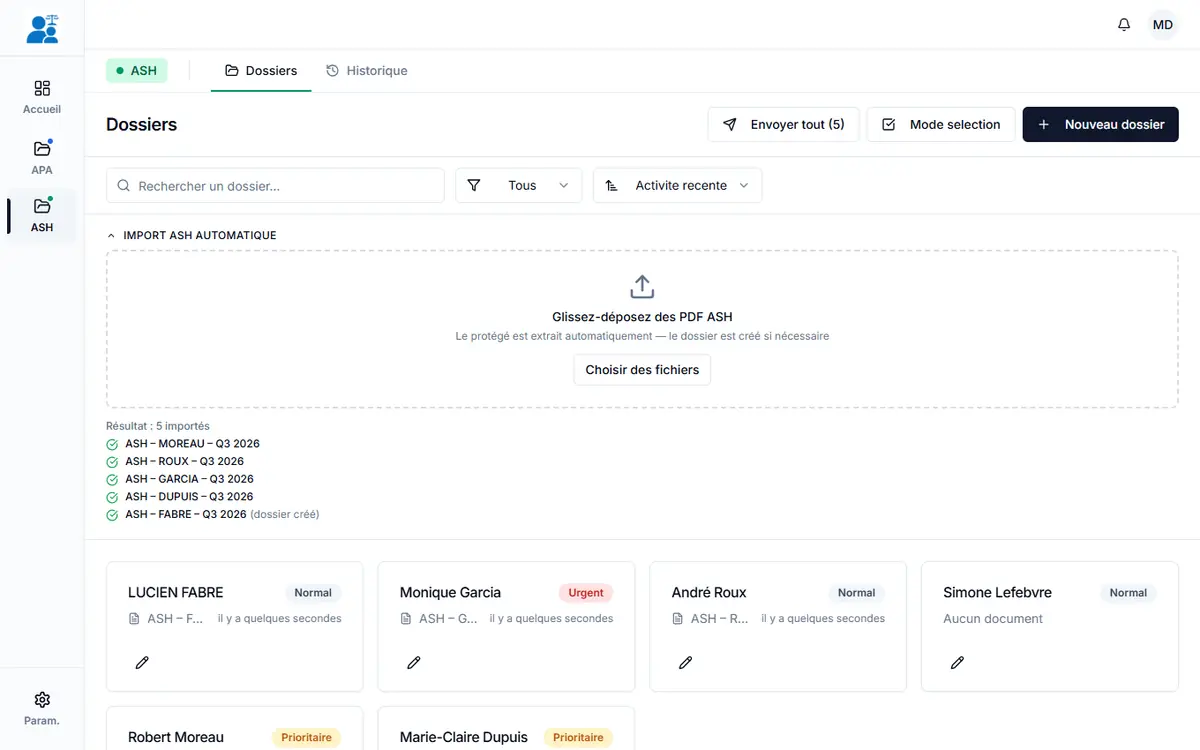
Tutellia ASH module after dropping five PDFs: 5 imported, each renamed by person and quarter (ASH – MOREAU – Q3 2026…), one case file created automatically, Send all (5) button. Fictitious data, interface in French.
Five ASH tables dropped at once: read, renamed, filed, one case file created. Fictitious data.

How it works

Handle it once, forget it, find it ready.

  1. You receive

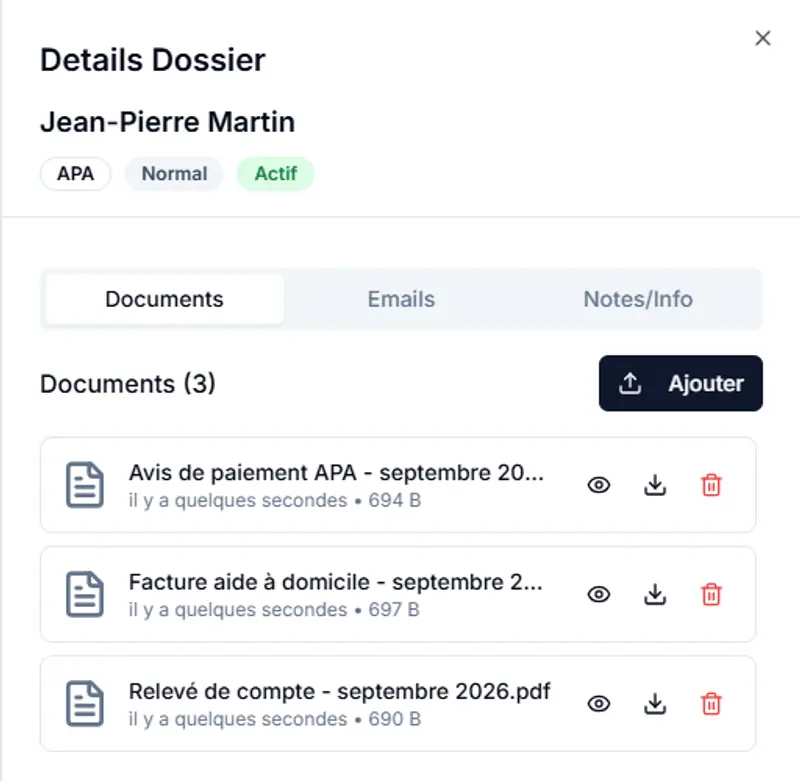
    A bill, a statement or a letter arrives. While you log it in your usual case software, drag it into the right Tutellia case file. Done: you can forget about it.

  2. Tutellia files

    For ASH (housing social aid), drop all your tables at once. Each PDF is read, matched to the right person and period, and given a clean name. If the case file does not exist yet, it is created.

  3. Tutellia sends

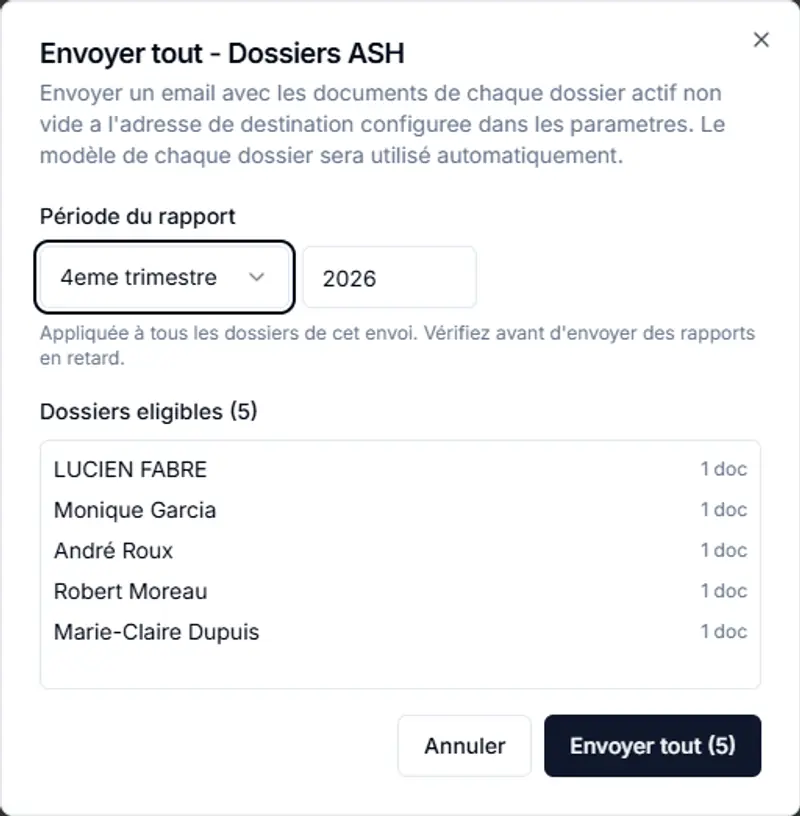
    When the time comes, everything leaves for the right recipients, in standardised emails: the person's name, the period, the attachments. Nothing to type again.

What changes

Less time, no mistakes, a clear head.

Time

Filing happens as you go

A few seconds, at the moment you are already handling the document. No more sessions spent preparing mailings.

Reliability

Never the wrong address or name

Recipients and names are stored once in the case file. Every email follows the same template, filled in automatically.

Peace of mind

It is there when you need it

Everything is ready, sorted and traced. You know it is there and reliable, so you can stop thinking about it.

Ease

Up and running quickly

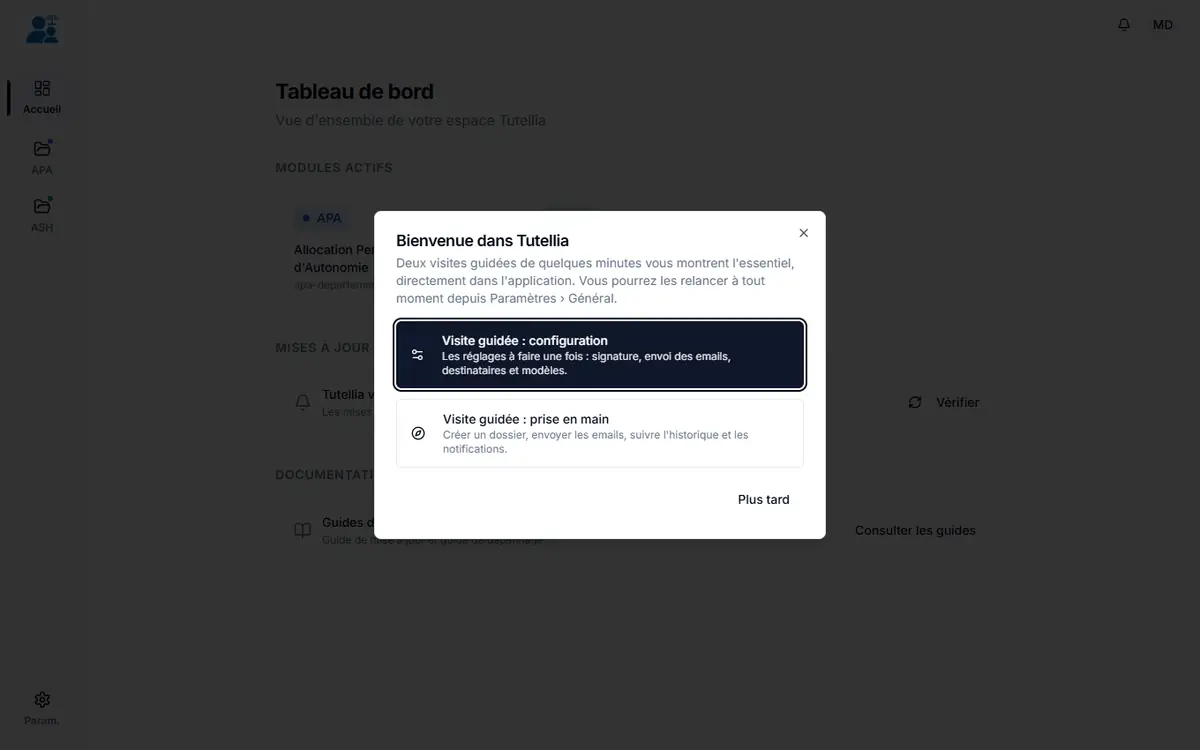
Guided tours and built-in guides walk you through setup and everyday use.

Features

Built for the daily work of an MJPM

  • APA (personal autonomy allowance) and ASH modules, with linked case files when a person is followed in both
  • Automatic sorting of ASH PDFs by person and period
  • Email templates with variables: name, month, year
  • Bulk sending, or one case file at a time
  • Closing emails ready for death or discharge
  • Priorities, search and filters on every case file
  • Full history: what was sent, to whom, when
  • Automatic, signature-verified updates
Tutellia home screen: Welcome window offering two guided tours, setup and getting started. Fictitious data, interface in French.
Two guided tours on first launch. Fictitious data.

A living tool

Tutellia grows with your practice

Every suggestion counts. Tell me which task still takes you time: if it helps you, it will probably help other guardians too, and it can become a new module available to everyone. Organisations can also have modules built for their own procedures.

Pricing

Two ways to work with Tutellia

Independent guardian

30 € per year, per workstation

VAT not applicable, art. 293 B of the French General Tax Code

  • Initial installation, done with you
  • Corrective and new-feature updates
  • Remote technical support
  • Read-only access to your history, guaranteed even after the subscription ends
Request my access

Services and organisations

Quote

Depends on team size, infrastructure and the level of service you need

  • Deployment across your whole organisation
  • Installation, maintenance and regular updates handled for you
  • Custom modules for your own procedures
  • Whatever level of support you need, I am there
Ask for a quote

Annual subscription, renewed automatically; cancel at least 30 days before the renewal date. Contact: tutellia@origai.fr

Download

Install or update a workstation

For a new workstation, installation is done with you once your access is active. Already installed? Tutellia updates itself.

Release notes 2.0.8
  • New “Sort documents” screen: drop your files on the dossier list, pick each file's dossier with a preview, and undo any filing at any time
  • Choose where documents are stored (Settings › General): a OneDrive, SharePoint or network folder to find your documents on several computers
  • “Try the app” button to discover Tutellia with sample data
  • Version 2.0.8 for Windows; the macOS version remains 2.0.7 for now

Version 2.0.7

  • First macOS version (universal: Apple silicon and Intel)
  • Guided tours for setup and everyday use, restartable from Settings › General
  • Built-in “Getting started” and “Email sending setup” guides
  • Notification bell for important messages
  • Subscription management in Settings › Subscription
  • Automatic IMAP folder detection and clearer sending error messages
Installation and verification

Windows

The installer is not yet signed with a publisher certificate: if Windows shows “Windows protected your PC”, click “More info”, then “Run anyway”.

macOS

  1. Open the .dmg file and drag Tutellia into Applications.
  2. Tutellia is not yet notarized by Apple. The first time you open it, macOS blocks it: go to System Settings › Privacy & Security and click “Open Anyway”. On macOS 14 and earlier, right-click the app › Open is enough.
  3. If macOS says the app “is damaged”, run this in Terminal: xattr -dr com.apple.quarantine /Applications/Tutellia.app

SHA-256 checksums

.exe ac6ef504a890f761fa5e0ef9b58e71a59ff99e8512bb6fae8dc523035ac0968f

.dmg ca3e419374fc0c45c1deb9b5dcb9810c069de808c28291be239e3f6ef597057c

Version
2.0.8 (Windows) · 2.0.7 (macOS)
Released
11 October 2026
Windows
Windows 10 / 11, 64-bit
macOS
macOS 11 or later, Apple silicon or Intel
Updates
Automatic, signature-verified